Many golf clubs have days where more than one thing needs to happen on the same course at the same time. A club championship and a corporate match, a men's day and a side competition, or two groups playing different tournaments on the same holes.
With version 10.1, your golf club can now run two or more tournaments on the same course at the same time, each with its own leaderboard and conclusion. The feature is optional, so nothing changes if you only run one tournament at a time.
What's new in v10.1?
Previously, only one tournament could be active on a course at a time. Now multiple tournaments can run on the same course during the same period without one ending the other.
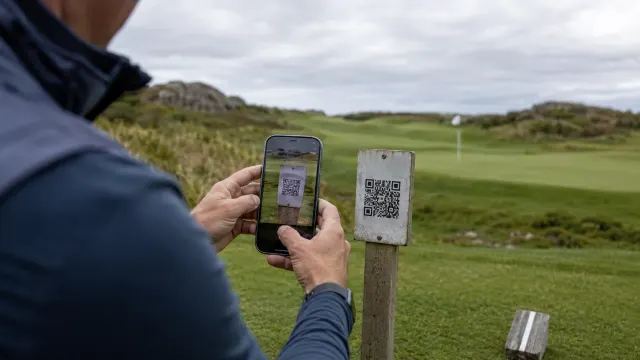
When a player scans the course's QR code and there are multiple tournaments running, they land on a screen with your club's own logo and colors. They simply choose which tournament they're playing, then enter their name and distance as usual.
Players only choose once
The choice is remembered for the rest of the round, even when you use QR codes per hole. The player scans the next hole and goes straight to entry without having to choose their tournament again.
If the player does switch course or tournament, they can always change it using a small icon at the top of the screen.
How it works in practice
What it means for your club
- →You can run multiple competitions on the same course at the same time.
- →Players choose themselves and enter scores in the correct tournament.
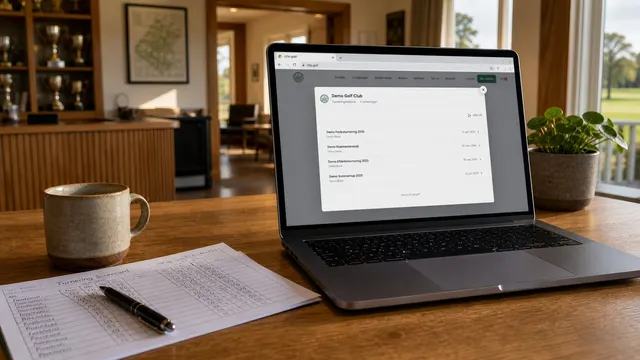
- →Live leaderboards on your website switch between tournaments automatically every 30 seconds.
- →The "Shared course" label gives you an overview in administration.
- →When you stop a tournament, entry locks immediately, so no scores end up in the wrong place.
On your club website
If you have your live leaderboards embedded on your club website, it now displays the tournaments in rotation. The screen automatically switches between active tournaments every 30 seconds, so both get space without you having to do anything.
Safe conclusion
When a tournament ends or is paused, players notice it immediately. Entry locks live, so scores cannot be submitted to a tournament that is no longer running.
In short
Version 10.1 makes it possible to run multiple tournaments on the same course at the same time. Players scan as usual, choose their tournament on a screen branded with your club logo, and the system remembers the choice for the rest of the round. Live leaderboards on your website switch automatically between tournaments, and you keep full control in administration. The feature is optional, and if you only run one tournament at a time, everything works exactly as before.